
Match
A short quiz that shows shoppers the products that fit, each with a plain reason.
Pro · 14 days to change your mind
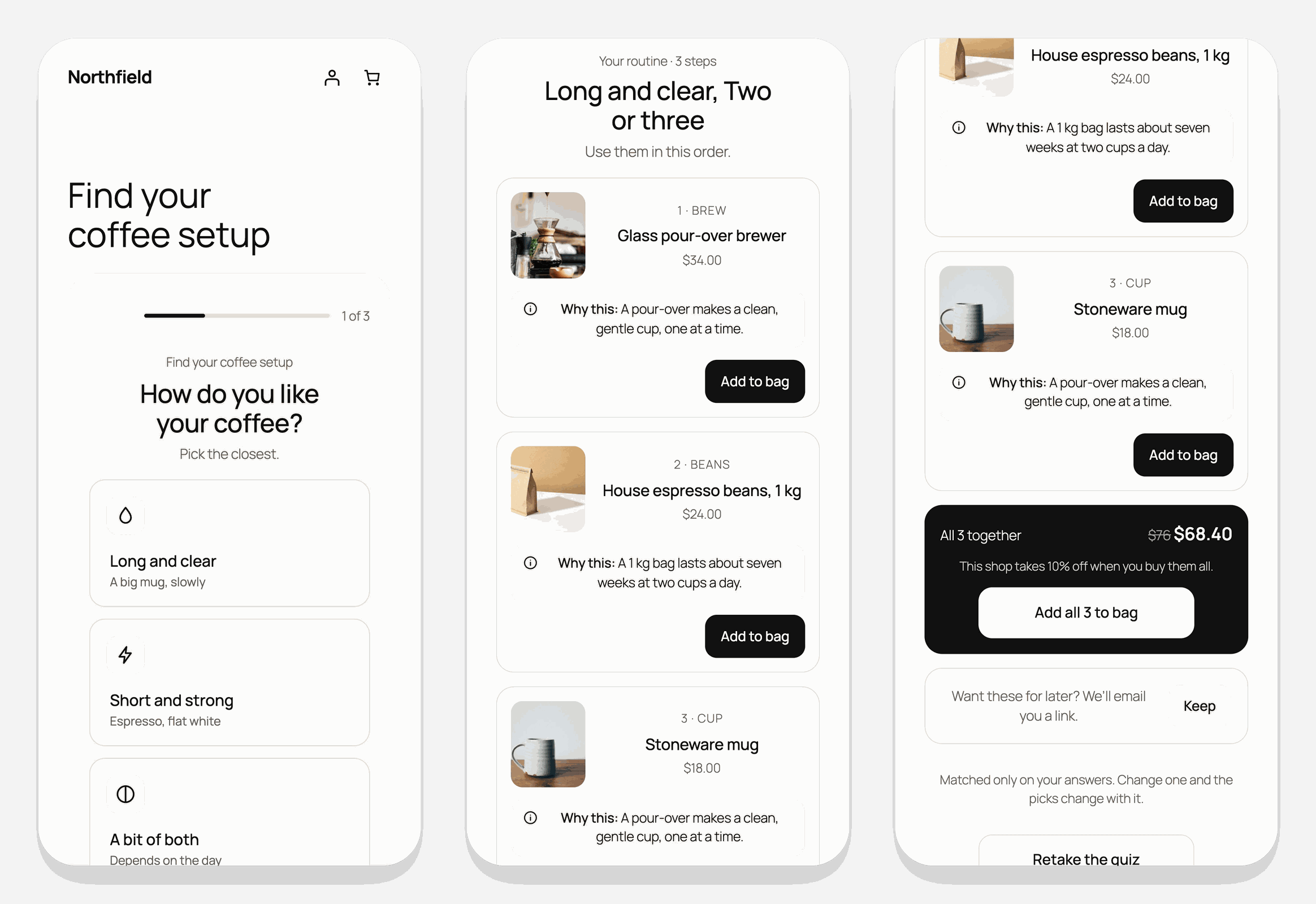
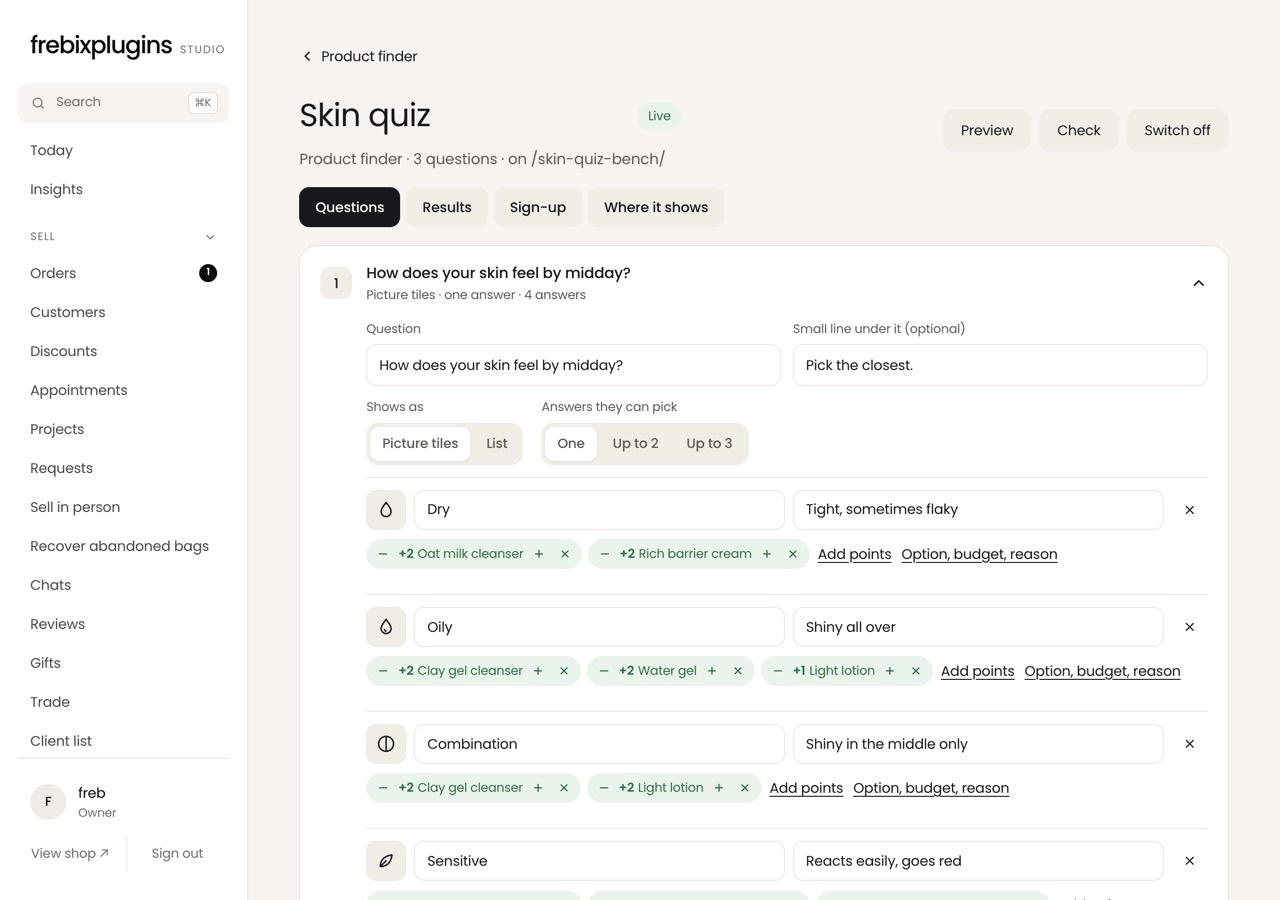
A few taps, then a routine with a reason for each pick and Add all
Everything you need for a good quiz.
Running in four steps.
- 1
Install Frebix Match and activate it (WooCommerce must be active).
- 2
Open Frebix → Match, press New quiz and start from a ready-made quiz or from nothing.
- 3
Point each answer at products, a category or a tag. Match tries every way through and tells you what to fix before it goes live.
- 4
Choose where it shows: its own page, a section in a page, or a popup. Pro (key in the Licence tab) adds routines and Add all.
Match Pro adds.
Good to know.
Do I need to write any code?+
No. Make a quiz, then add the Match quiz block to a page or press Make a page. In Frebix Studio, it all happens in Product finder.
Why no match percentage?+
Because it would be made up. Match adds up points from the shopper’s answers and shows the reason for each pick instead, so shoppers can see why it suits them.
Will it get in shoppers’ way?+
No. A popup or panel opens at most once a visit, and never on the bag, checkout or account pages. Shoppers can close it and carry on.
Does it collect shoppers’ details?+
The quiz works without any. With Pro, shoppers can ask to keep their results by email, and get a reminder when a product is back in stock only if they tick the box.
I take bookings with Frebix Appointments. Can it suggest a service?+
Yes. With Match Pro, a service finder suggests the right appointment with the next free times and Book this, and the answers go on the booking.
Does it work at the counter?+
With Match Pro and Frebix POS, staff can run the quiz with a customer at the till, and the picks go straight into the sale.
Can I get my money back?+
Yes. If Pro isn’t right for you, email hello@frebix.com within 14 days of buying and we’ll refund you in full.
Get Match
Product finder quizzes for WooCommerce: your questions, the products that fit, a reason for each and Add to bag. Pro adds routines with Add all, the right option chosen, budgets, keep my results, what real sales say, the service finder and more ways to show it.
- 14 days to change your mind
- A year of updates and help
- A person replies within a working day
- Your data stays on your site
The rest of the family.
 ConsentCookie consent that stays on your siteFree
 SEOTitles, link previews and sitemapsFree
 Coming SoonA page while you buildFree
 PanelA calmer WooCommerce adminFree + add-ons
 Dynamic PricingQuantity discounts and dealsFree + Pro
 Bulk VariationsPick several variations at onceFree + Pro
 Quantity ManagerMinimums, maximums and stepsFree + Pro
 WholesaleTrade accounts and pricesFree + Pro
 Lay-byPay for a product in partsFree + Pro
 Pay for MeSomeone else pays the orderFree + Pro
 Gift OrdersSend an order as a giftFree + Pro
 Country PricesYour own prices by delivery countryFree + Pro
 Live ActivityReal social proof, never made upFree + Pro
 Stock PlacesStock counted in each place you keep itFree + Pro
 Product OptionsExtra choices with their own pricesFree + Pro
 EmailsDesigned WooCommerce emailsFree + Pro
 StudioA calm shop app for your teamUS$149
 POSA full till for selling in personUS$149
 MeasurementsCustomer measurements on ordersFree
 Serial CodesProve a product is genuineOn request
 Hubtel PaymentsMobile money and card in GhanaFree
 AppointmentsOnline booking with a team calendarUS$149
 Request PaymentsPay links by WhatsApp, text or emailUS$49
 ProjectsCustom jobs from quote to hand-overUS$199
 White LabelYour brand on every client siteUS$79