
Lay-by
Customers pay for a product in parts. You keep it for them and send it when the last part is paid.
Pro · 14 days to change your mind
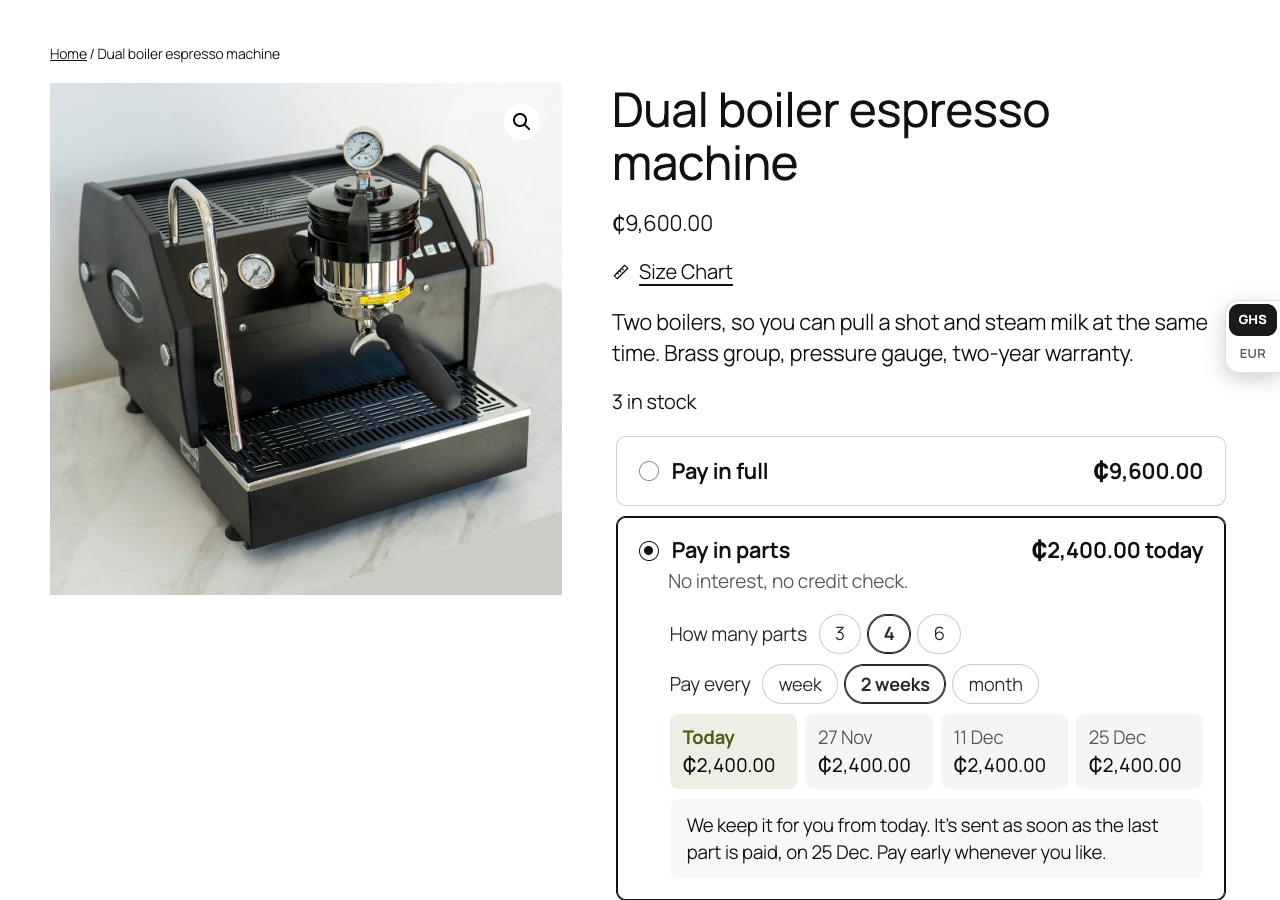
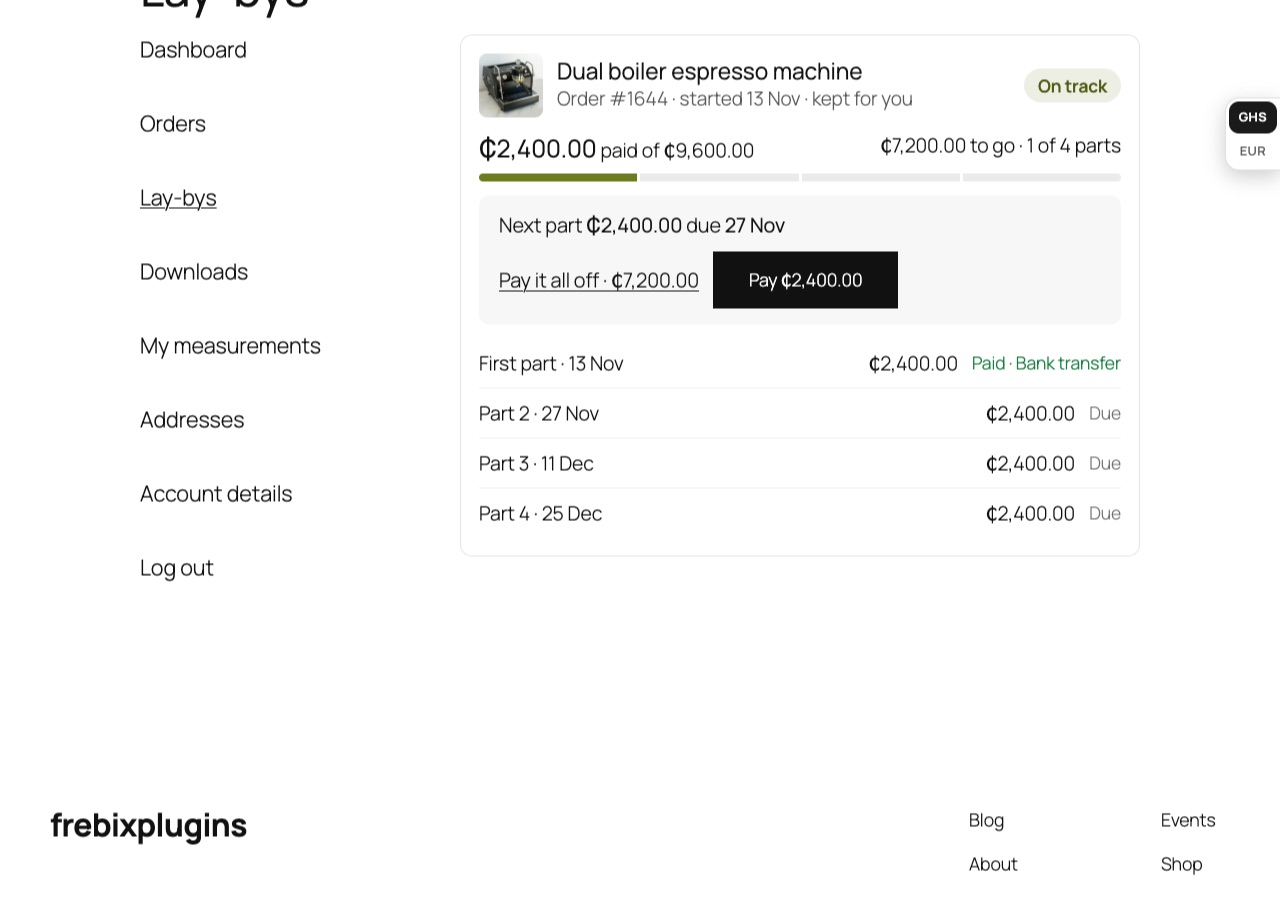
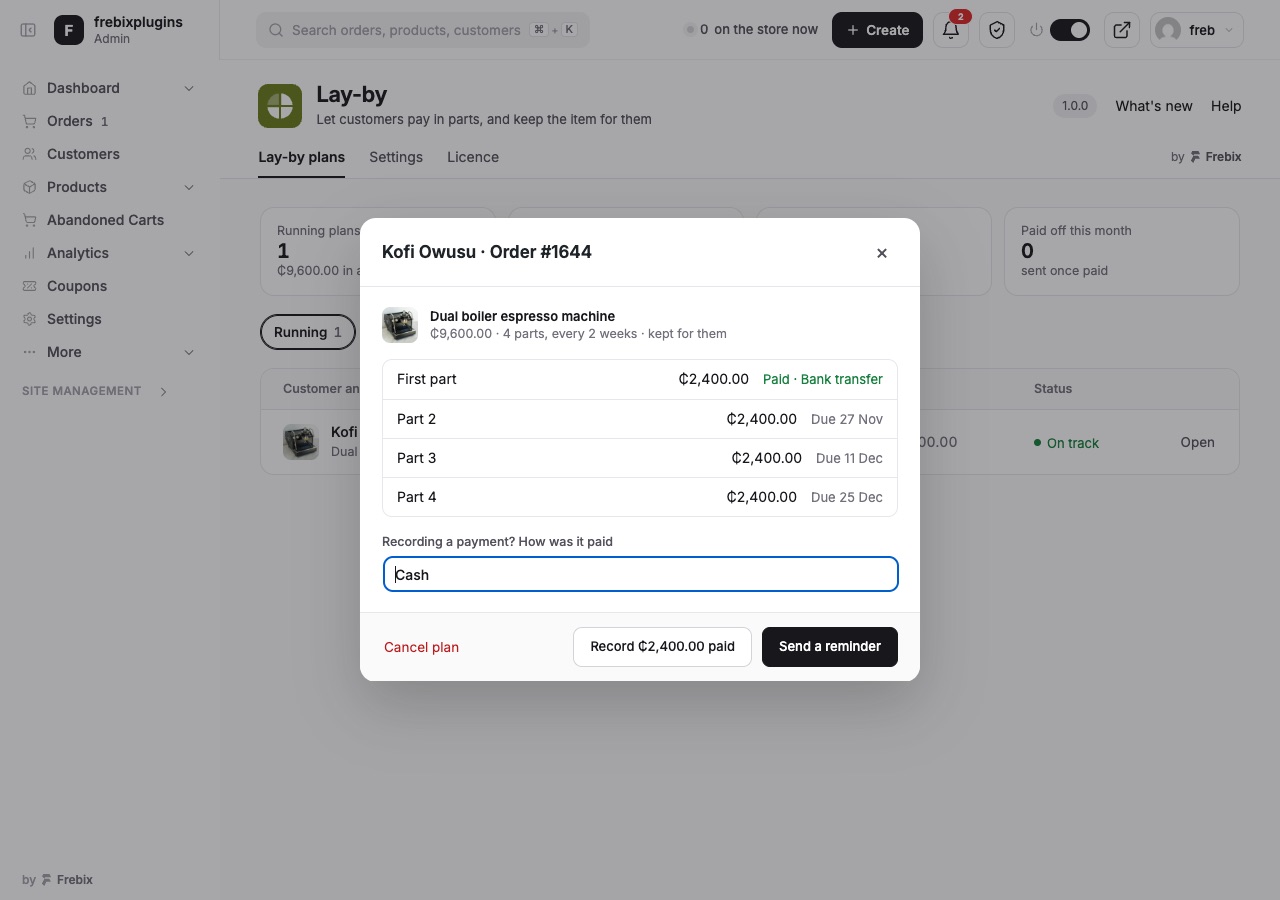
Pay in full, or in parts with every date and amount

Everything a lay-by needs.
Running in four steps.
- 1
Install Frebix Lay-by and activate it.
- 2
Open Frebix → Lay-by and set the deposit and how many parts.
- 3
Choose which products can be paid in parts.
- 4
Pro: paste your key in the Licence tab for plans per product and late fees.
Lay-by Pro adds.
Good to know.
How do customers pay the later parts?+
From the reminder emails or from My account. Each payment opens WooCommerce’s own pay page, with all of your payment methods.
What if a customer stops paying?+
They get a reminder every third day. After the number of late days you set, you can cancel: the item goes back on sale and you refund what was paid, less your fee. Nothing is cancelled by itself.
Can a lay-by be mixed with other items?+
No. A lay-by is checked out on its own, so its plan stays clear. Customers need an account to pay the rest, so checkout makes one.
Does it work with any currency?+
Yes. Lay-by works in your shop’s currency, with any payment method WooCommerce has.
Can I get my money back?+
Yes. If Pro isn’t right for you, email hello@frebix.com within 14 days of buying and we’ll refund you in full.
Get Lay-by
Pay in parts for WooCommerce, with the item kept until it’s paid. Pro adds plans per product, late fees and money to come.
Yearly, for one website.
- 14 days to change your mind
- A year of updates and help
- A person replies within a working day
- Your data stays on your site
The rest of the family.
 ConsentCookie consent that stays on your siteFree
 SEOTitles, link previews and sitemapsFree
 Coming SoonA page while you buildFree
 PanelA calmer WooCommerce adminFree + add-ons
 Dynamic PricingQuantity discounts and dealsFree + Pro
 Bulk VariationsPick several variations at onceFree + Pro
 Quantity ManagerMinimums, maximums and stepsFree + Pro
 WholesaleTrade accounts and pricesFree + Pro
 Pay for MeSomeone else pays the orderFree + Pro
 Gift OrdersSend an order as a giftFree + Pro
 Country PricesYour own prices by delivery countryFree + Pro
 Live ActivityReal social proof, never made upFree + Pro
 MatchA quiz that finds the right productsFree + Pro
 Stock PlacesStock counted in each place you keep itFree + Pro
 Product OptionsExtra choices with their own pricesFree + Pro
 EmailsDesigned WooCommerce emailsFree + Pro
 StudioA calm shop app for your teamUS$149
 POSA full till for selling in personUS$149
 MeasurementsCustomer measurements on ordersFree
 Serial CodesProve a product is genuineOn request
 Hubtel PaymentsMobile money and card in GhanaFree
 AppointmentsOnline booking with a team calendarUS$149
 Request PaymentsPay links by WhatsApp, text or emailUS$49
 ProjectsCustom jobs from quote to hand-overUS$199
 White LabelYour brand on every client siteUS$79